Workshop quotation and invoice software

    Quotations customers approve from their phone. Invoices that match the job.

    Node Studio builds the quotation from the job, sends it as a link over WhatsApp, records the customer's approval and turns the approved work into a numbered invoice. No retyping between a quote template, a chat and an invoice book.

    nodestudio.live
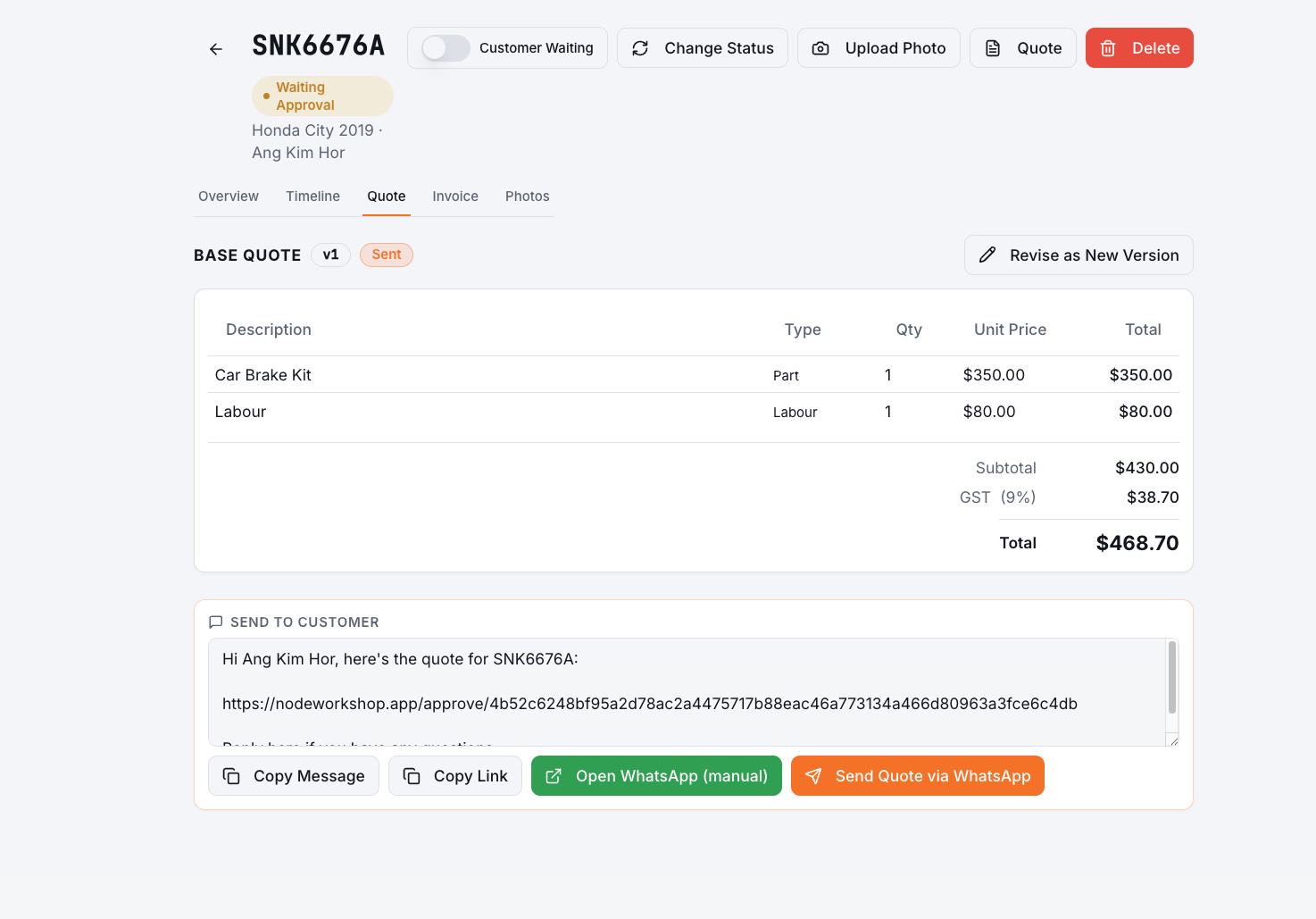
    Node Studio car repair quotation with parts, labour and a WhatsApp share button

    Where workshops lose money between the quote and the invoice

    When quotations live in WhatsApp messages and invoices are written separately, small gaps add up: work that was done but never billed, approvals nobody can find, and prices that changed between the two.

    The customer said "OK" on WhatsApp, but nobody can find the message when the bill is disputed.

    Extra work approved by phone never makes it onto the invoice.

    Each quotation is typed from scratch, so prices for the same job vary between staff.

    Invoice numbers are skipped or duplicated because they come from a paper book or a spreadsheet.

    From quotation to payment

    01

    Build the quotation from the job

    Add parts, labour and other charges, or pull them from saved items and your parts inventory. Give the customer more than one option, such as original or OEM-equivalent parts, and revise the quote as a new version when things change.

    02

    Send a link the customer approves

    Share the quotation as a link on WhatsApp. The customer sees the items, the total and the job photos, and approves on their phone. The approval is recorded on the job, and your internal cost prices are never shown to them.

    03

    Invoice the approved work and record payment

    Turn the approved job into an invoice with a sequential invoice number for your workshop, then record the payment against it. Outstanding invoices show up so nothing is left unpaid.

    What Node Studio covers

    Parts, labour and other charges
    Saved items for common jobs
    Multiple quotation options
    Quotation versions and revisions
    Customer approval by link
    Internal costs hidden from customers
    Sequential invoice numbering
    Payment records and outstanding invoices

    Know what each job really made

    The other side of pricing is cost. Snap a photo of each supplier bill and Node Studio reads the supplier, date, parts and prices, so parts and towing costs are recorded against your workshop without retyping.

    Quotations, invoices and costs sit with the same job, so the workshop owner can see what was quoted, what was approved, what was billed and what was paid, in one place.

    Frequently asked questions

    Can customers approve a car repair quotation online?+

    Yes. Node Studio sends the quotation as a link the customer opens on their phone. They can review the items, choose an option and approve it, and the approval is saved on the job.

    Can I give the customer more than one option?+

    Yes. A quotation can have several options, for example different part brands, and you can revise it as a new version if the job changes.

    Will customers see my cost prices?+

    No. Internal cost prices are for your team only and are not shown on the customer's quotation or invoice.

    How are invoice numbers handled?+

    Node Studio numbers invoices sequentially for each workshop, so you don't need to track numbers in a paper book or spreadsheet.